SUPN - Simple Update Part Numbers
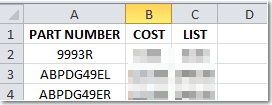
Update part numbers from data in a spreadsheet. Optionally add part number if they are not on file. |
||||
This is a great way to add or update aftermarket parts! |
||||
Part Number Fields you can update with SUPN:
|
||||
|
|
||||
 When you start SUPN, you are prompted to choose the spreadsheet file.
|
||||

|