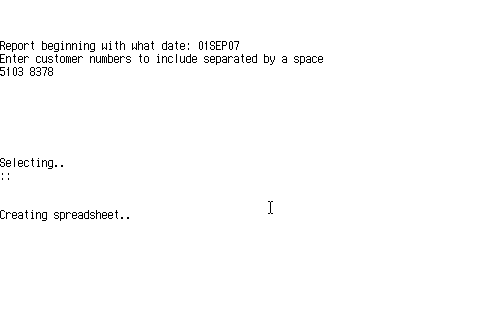
 Once this program is installed, you simply click a button on your Reflection window to start it.
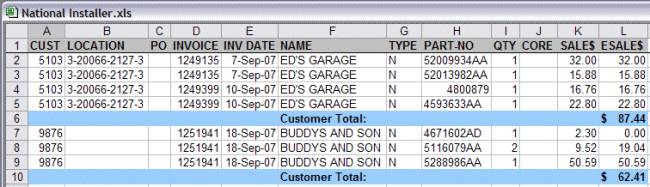
You are prompted for a beginning date from which to report. The program remembers this date and the next time you run RNIS, it prompts for the next day, so you can just hit [ENTER]. Enter the customer numbers to report. The program remembers these too, so if it's always the same ones, you just hit [ENTER] to continue. RNIS creates a spreadsheet like the one below. The LOCATION field is the first "word" (characters until the first space) of the 2nd line of the SHIP-TO from the invoice. |
|